Formats · 8 min read
AI TikTok video generators: what they do, and how to pick one
An AI TikTok video generator turns a brief into a finished vertical video: it writes a script, builds the visuals, adds a voiceover and captions, and exports a file ready to post. The useful ones start from your brand instead of a blank prompt, let you approve the script before anything renders, and offer several formats. Spoolt does this from your website and schedules the result to TikTok.
Type 'AI TikTok video generator' into a search box and every result promises a viral video in one click. The weak ones all produce the same thing: stock footage, a flat voice and a script that could be about any company. Viewers scroll past it.
This guide is about telling a useful generator from that. It covers what these tools actually do, eight things to check before you trust one with your brand, the mistakes that make generated video look generated, and a first week that ends with real posts.


Ground rules
The script decides it
Viewers forgive simple visuals and leave at a weak first line. Judge a generator by the scripts it writes about your business, not by its sample reel.
Specific beats polished
A plain slideshow with one true, specific tip does better than a glossy video that says nothing. Feed the tool real details about what you sell.
Review is part of the work
Generation takes minutes, so the saved time should go into reading and watching. Budget a minute per script and a minute per video.
Label it and stay truthful
Say when a video is AI-generated and make only claims you could defend in person. Nobody accepts 'the tool wrote it' as an excuse.
Eight things to check in a generator
It starts from your brand, not a blank prompt
A generator that begins with an empty text box hands the hard part back to you. A useful one learns the brand first: what you sell, who buys it, how you talk. Spoolt reads your public website and builds a brand profile you can correct before it writes anything.
Example
Paste a coffee roaster's address. The drafts that come back mention its own beans, its grind guide and its subscription, not 'our amazing product'.
Watch out
Accepting the profile unread. If it has your audience or tone wrong, every script built on it will be wrong in the same way. Correct it once.
You see the script before the video
Rendering is the slow and costly step. A good tool shows you the words first and renders only what you approve. In Spoolt you swipe through draft scripts, keep or cut each one, and only the keepers become videos.
Example
Twenty drafts, reviewed in a few minutes. Eight kept, twelve cut. Eight renders instead of twenty, and none of them a surprise.
Watch out
Tools that go straight from prompt to finished video. You find out the script was weak after you have paid to render it.
It has more than one format
A feed of identical videos stops working quickly. Look for formats that do different jobs. Spoolt has seven: slideshow, wall of text, hook and demo, AI UGC, green screen, AI story and story avatar. Some explain, some show the product, some put a presenter on screen.
Example
One week: a slideshow of three tips, a hook-and-demo of the product, a wall-of-text opinion. Same brand, three different shapes.
Watch out
Using the avatar formats for everything because they look the most impressive. Presenter video is one format among several, and it is the one viewers are quickest to doubt.
The voiceover and captions come with it
On TikTok a video needs sound and on-screen text to hold attention, and some people watch with the sound off. Check that the generator produces the voiceover and the captions itself, in your language. Spoolt writes in the language of your website and the voiceover reads that script.
Example
A Turkish shop's site produces Turkish scripts, Turkish captions and a Turkish voiceover, with no translation step in between.
Watch out
Never listening to the voiceover. Play every video once with sound. A mispronounced product name is obvious to everyone except the person who skipped that check.
A person can still say no
The tool is only safe to use if a person can stop a video at each stage. That means reading the script, watching the render and choosing how it is published. In Spoolt, nothing is rendered or published without your approval.
Example
A draft claims a delivery time the shop cannot promise. It is cut at the script stage and never becomes a video.
Watch out
Approving in bulk to save time. The one script you did not read is the one with the claim you cannot back up.
It is honest about being AI
TikTok requires realistic AI-generated content to be labelled. A responsible generator makes that easy and never invites you to fake a customer review. Spoolt sends TikTok's AI-generated label with every video it generates. Presenters can explain and demonstrate. They cannot have 'used it for six months'.
Example
An avatar walks through how a feature works, with the AI-generated label on. That is a presenter. The same avatar claiming to be a happy customer is a fabricated testimonial.
Watch out
Hiding the label in a pile of hashtags. If an ordinary viewer would not know, it is not disclosed.
It can publish what it makes
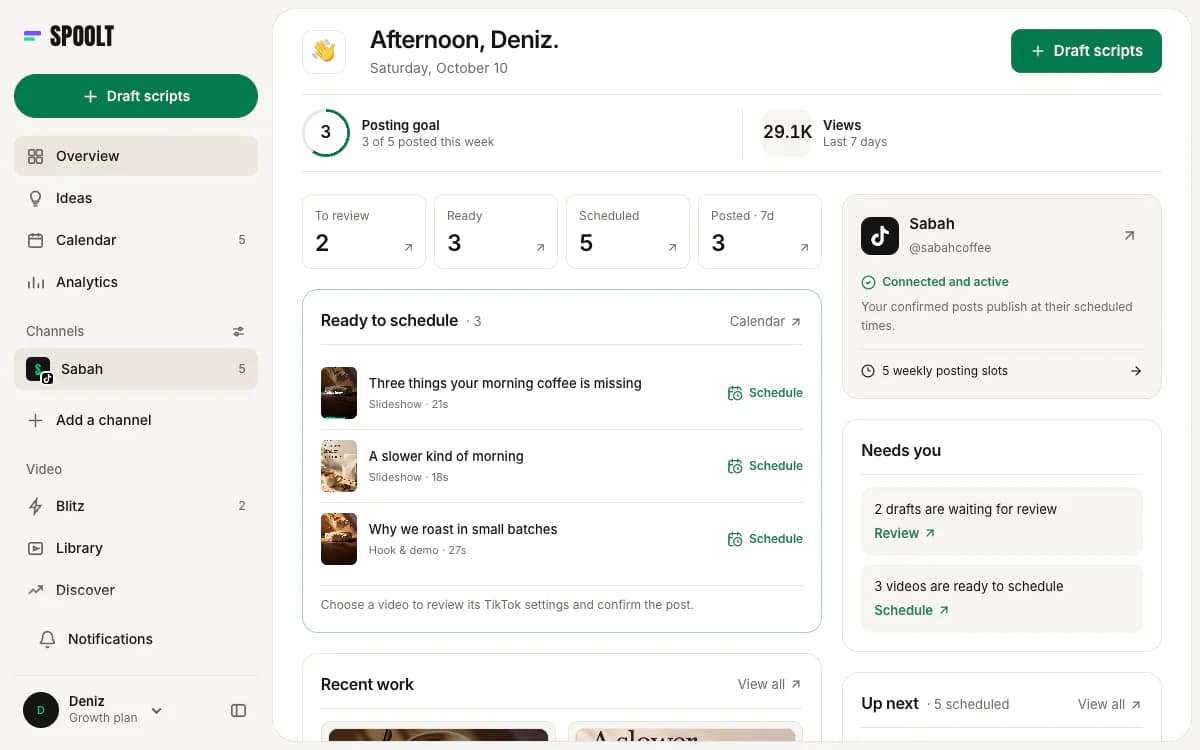
A generator that stops at a download leaves you to upload, caption and schedule every file by hand. Check what happens after the render. Spoolt queues the video to TikTok on weekly slots you set, after you confirm each post's privacy, interaction and disclosure settings. It publishes to TikTok only.
Example
Eight kept videos added to the queue in one sitting take the next eight free slots. Nobody downloads or uploads a file.
Watch out
Assuming it posts everywhere. If you need Instagram or YouTube as well, you download the finished video and upload it there yourself.
You can predict the cost
Find out what one video costs before you make fifty. Spoolt's plans are credit-based: a draft script costs 1 credit, a standard video 10, and a story or avatar video 25. Scheduling and publishing cost nothing. The free plan includes 50 credits a month.
Example
Twenty drafts and three standard videos use 50 credits, which is a free month. You know that before you start, not after.
Watch out
Pricing by minutes, seats and exports at once, so that you cannot work out the cost of a month in advance. If the sum is hard to do, expect the bill to surprise you.
What makes generated video look generated
Generic scripts
A script that would fit any company persuades nobody. If a draft does not name your product or your customer's actual problem, cut it.
Volume without review
Making fifty videos is easy now. Posting fifty unreviewed videos is how an account gets muted by its own followers.
Fake people, fake proof
A generated presenter pretending to be a customer breaks platform rules and advertising law, and destroys trust when it is noticed.
Only generated video
An account with no real footage at all starts to feel empty. Mix in screen recordings, product shots and the occasional video with a person in it.
A first week with a generator
- Day 1
Give the generator your website and correct the brand profile: audience, tone, what you sell and what you never claim.
- Day 2
Generate a batch of scripts across at least three formats. Keep only the ones that name something specific about your business.
- Day 3
Render the keepers. Watch each one with sound and again without. Fix or drop anything that sounds wrong.
- Day 4
Set weekly posting slots, queue the videos and confirm each post's privacy, interaction and disclosure settings.
- Week 4
Read the results by format. Make more of the format that held attention and stop making the one that did not.
AI video generator FAQ
What is the best AI TikTok video generator for a brand?
The one that starts from your brand and lets you read the script before it renders. For brands posting to TikTok, Spoolt writes scripts from your website, renders seven formats and schedules them. If you need long-form editing or film-style footage, a dedicated video editor is the better tool.
Is there a free AI TikTok video generator?
Spoolt has a free plan with no card: 50 credits a month, where a draft script costs 1 credit and a standard video 10, plus 15 scheduled TikTok posts. Avatar formats are on paid plans.
Does TikTok allow AI-generated videos?
Yes. TikTok requires realistic AI-generated content to be labelled and prohibits misleading uses such as fake endorsements. Label it when you upload, and never present a generated presenter as a real customer.
Do I own the videos, and can I use them in ads?
With Spoolt, yes: you own the videos you generate and keep, and commercial use is your decision. With any other generator, read the terms for ownership and commercial rights before you build a campaign on its output.
A generator makes the video faster. It cannot make the idea worth watching. Use one for the typing, the editing and the rendering. Keep for yourself the two jobs it cannot do: knowing what your customers care about, and deciding what carries your name.
Want these written in your brand's voice? Paste your website and Spoolt turns ideas like these into a month of scripted short-form — triage in Blitz, schedule to TikTok. Free to try, no card.
← All playbooks