Comparisons · 8 min read
The best TikTok scheduler for a small business depends on what's missing
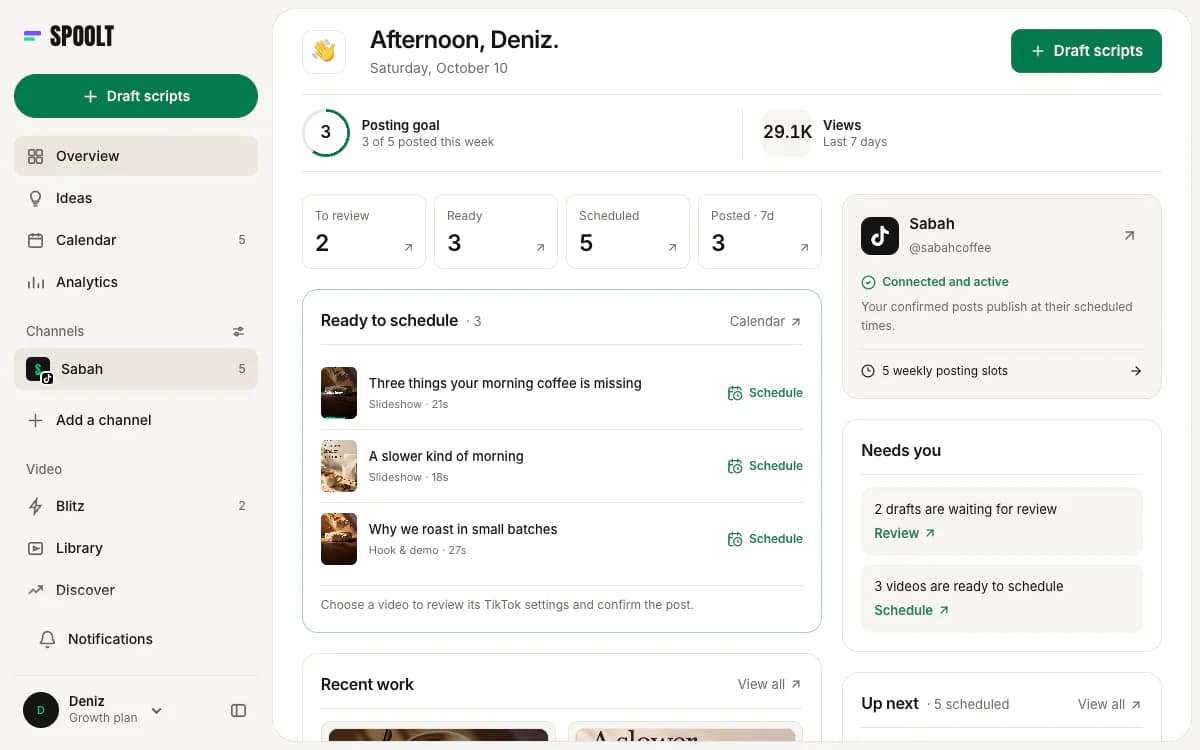
The best TikTok scheduler for a small business depends on which step is missing. If you already have videos and post only to TikTok, TikTok's own scheduler is enough. If you post to several networks, Buffer or Later fit better. If the real problem is having no videos to schedule, Spoolt writes, renders and queues them to TikTok, and has a free plan.
Search for the best TikTok scheduler and you get lists of twenty tools with no way to tell them apart. A small business does not need twenty options. It needs to know which of three or four fits the way it actually works.
This guide compares four realistic choices: TikTok's own scheduler, Buffer, Later and Spoolt. It says plainly who each one suits, what to check before you connect your account, and how to test one in a week without paying.
Four ways to schedule TikTok, compared
| What you need | Spoolt | Buffer | Later | TikTok's own scheduler |
|---|---|---|---|---|
| Makes the video for you | Yes: script, render and voiceover | Not listed; you upload it | Not listed; you upload it | No; you upload it |
| Networks | TikTok only | TikTok plus eleven others, including Instagram, LinkedIn and YouTube | TikTok plus seven others, including Instagram, Pinterest and LinkedIn | TikTok only |
| Publishes for you | Yes, after you confirm each post's settings | Many videos automatically; the rest by notification | Auto-publishing on every plan | Yes, from TikTok's web upload page |
| Free option | Free plan: 1 channel, 15 scheduled posts a month | Free plan: up to 3 channels, 10 scheduled posts per channel | 14-day free trial, no free plan listed | Included with your TikTok account |
| Fits best when | You have no videos and only need TikTok | You have videos and several networks | Instagram, link in bio or creators matter | You post a few finished videos a month |
Buffer and Later details were checked on buffer.com and later.com in October 2026, and TikTok's scheduler against TikTok's own business blog. Plans change, so read the vendor's page before you decide.
How to choose
Find your missing step
Posting needs an idea, a script, a video, a caption and a time. Most schedulers only handle the last one. Know which step you are short of before you compare tools.
Count networks honestly
One network, done consistently, beats four done in bursts. If you only have the hours for TikTok, a TikTok-only setup is a sensible choice.
Free first
Three of the four options here cost nothing to start, and the fourth has a trial. Nothing about a small account justifies an annual plan in week one.
Keep the decision human
Any tool can post on time. Deciding what is worth posting, and how it is labelled, stays with a person in your business.
The four options, and what to check
TikTok's own scheduler: start here
TikTok lets you schedule a video from its web upload page, and the post shows up in the app afterwards. If you film a few videos a month and post only to TikTok, this may be all you need. TikTok's limits on how far ahead you can schedule change, so check its help pages.
Example
A bakery films two videos every Sunday and schedules them for Tuesday and Friday from a laptop. No extra tool, no extra login.
Watch out
Paying for a tool before you have outgrown the free one. Outgrowing it looks like this: you want a queue, a second network, or you run out of videos.
Buffer: several networks on a small budget
Buffer lists twelve networks, including TikTok, Instagram, LinkedIn and YouTube, a free plan and paid plans priced per channel. It says it auto-publishes many TikTok videos and uses a notification for those TikTok will not accept directly. It suits a business with finished content and more than one feed.
Example
A consultant posts the same clip to TikTok, LinkedIn and YouTube Shorts. One upload, three channels, one calendar.
Watch out
Expecting it to solve an empty calendar. Buffer's AI Assistant helps with ideas, captions and scripts; the video itself is still yours to make.
Later: Instagram, link in bio and creators
Later lists eight networks, auto-publishing to TikTok, a best time to post feature, a link in bio page and influencer marketing tools. Its pricing page shows a 14-day trial instead of a free plan. It suits a business whose sales run through Instagram and a shoppable bio link.
Example
A jewellery shop plans its Instagram posts and TikToks in one calendar and sends both audiences to the same link in bio page.
Watch out
Choosing it for TikTok alone. You would be paying for a wide platform and using one corner of it.
Spoolt: when there is nothing to schedule
Spoolt reads your website, writes scripts in your brand's voice, renders the ones you keep in seven formats and queues them to TikTok. It publishes to TikTok only. Its free plan has 1 channel and 15 scheduled posts a month, with no card.
Example
A two-person software company with no camera keeps eight of twenty drafts, renders them and queues them onto three weekly slots. The month is scheduled in one afternoon.
Watch out
Choosing it for Instagram or LinkedIn. It does not post there today, and a roadmap is not a feature.
Check how it actually publishes
Some tools publish the video themselves at the set time. Others send a reminder to your phone and you finish the post by hand. Many do both, depending on the video. Read the vendor's own TikTok page for the exact rule before you rely on it.
Example
A video with its own audio is published directly. A video that needs a sound from TikTok's library has to be finished inside the TikTok app, whichever tool you use.
Watch out
Finding out on a Saturday that 'scheduled' meant 'you will get a notification'.
Check who decides the post's settings
Every TikTok post has a privacy level, interaction settings and, for brands, a commercial-content disclosure. Find out whether the tool asks you each time or applies a default. Spoolt asks every time and never publishes unattended, because those choices belong to the account owner.
Example
A sponsored video and an ordinary tip sit in the same queue. Only one of them should carry the paid partnership disclosure, and someone has to choose which.
Watch out
Leaving a default in place for months. A default that was right for the first post is wrong the day you post something promotional.
Check the queue, not the calendar
A calendar view looks good in a demo. What saves time is a queue: you set weekly slots once, add a video, and it takes the next free slot. Ask whether the tool has that, and whether the slots follow your own time zone.
Example
Slots on Monday, Wednesday and Friday at 6 pm. Nine finished videos added in one go fill the next three weeks without anyone picking a date.
Watch out
Picking a date and time by hand for every post. That is the chore a scheduler is meant to remove.
Check what growth costs
Pricing models differ. Buffer prices per channel. Later's lower plans cap scheduled posts per profile. Spoolt's plans are credit-based, with credits spent on scripts and renders and extra channels available on paid plans. Work out your cost at the volume you expect in six months, not today.
Example
One brand, one TikTok account, twelve posts a month: nearly every option is free or close to it. Three brands and daily posts: the models pull apart, so do the sum for each.
Watch out
Choosing on the entry price and discovering the limit in month three.
How small businesses choose badly
Choosing by feature count
The tool with the longest feature list is rarely the one a three-person business uses well. Choose by the one step you want to stop doing by hand.
Scheduling an empty week
A scheduler cannot post what does not exist. If videos are the gap, fix production first or pick a tool that includes it.
Sharing the password
Never give a TikTok password to a tool or a freelancer. Connect through TikTok's official login, which you can revoke at any time.
Switching every quarter
Each move costs a week of setup and breaks your comparisons. Test for a month, decide, then leave it alone for a year.
Test one in a week
- Monday
Write down the last five posts you meant to publish and did not. Next to each, note why. That list tells you which tool to test.
- Tuesday
Pick one option from the table and open its free plan or trial. Connect TikTok through the official login.
- Wednesday
Set three weekly slots in your own time zone. Get three videos into the queue, made by you or by the tool.
- The following week
Let the three posts go out. Check that each one was published on time and with the settings you chose.
- End of the month
Count posts published and hours spent. If both are better than last month, keep the tool. If not, test the next one.
TikTok scheduler FAQ
What is the best free TikTok scheduler?
If your videos are finished, TikTok's own scheduler costs nothing extra. Buffer listed a free plan with up to 3 channels and 10 scheduled posts per channel in October 2026. Spoolt's free plan has 1 channel and 15 scheduled posts a month and also makes the videos.
Do I need a third-party scheduler at all?
Not if you post a few finished videos a month to TikTok only. A separate tool starts to earn its place when you want a queue with fixed weekly slots, more than one network, or help making the videos.
Is it safe to connect a scheduler to my TikTok account?
Use tools that connect through TikTok's official login, where you approve access on TikTok's own screen and never type your password into the tool. Spoolt connects this way and publishes through TikTok's official API.
Which scheduler also makes the videos?
Of the four compared here, only Spoolt. It writes scripts from your website, renders them in seven formats and queues them. Buffer and Later list AI help with captions and ideas, not video generation, as of October 2026.
The best scheduler is the one that removes your slowest step, and for a small business that is usually not the scheduling. Start with the free option that matches your gap, run it for a month, and pay only when you hit a limit you can name.
Want these written in your brand's voice? Paste your website and Spoolt turns ideas like these into a month of scripted short-form — triage in Blitz, schedule to TikTok. Free to try, no card.
← All playbooks